I hope you managed to disconnect and get some rest over the holidays.
While the year was turning, our dev team was super focused on starting the year
with a new set of features to ensure that in 2026 you design ever faster than
last year.
A new way to Add
Sections
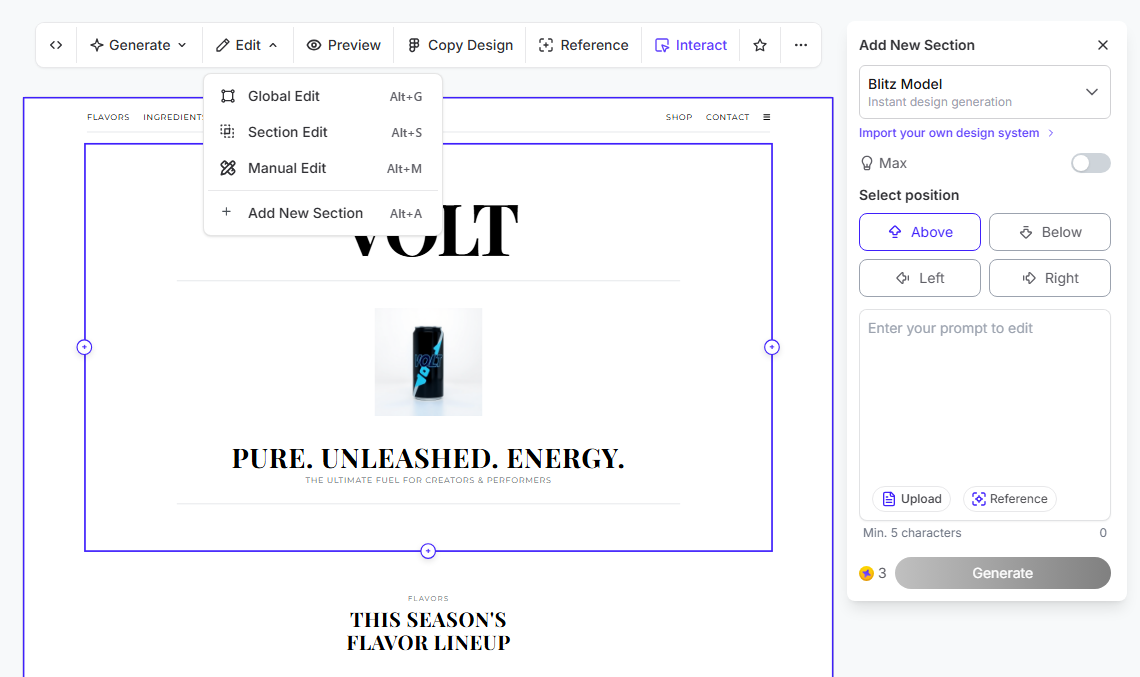
Sometimes you don't want to edit a section, you want a completely new one, and
now you can create it with just a couple clicks!
With our new "Add a New Section" button you can just use the four directional
buttons for precise positioning and prompt to define exactly what that new
space should contain.
Great interfaces start with clear logic.
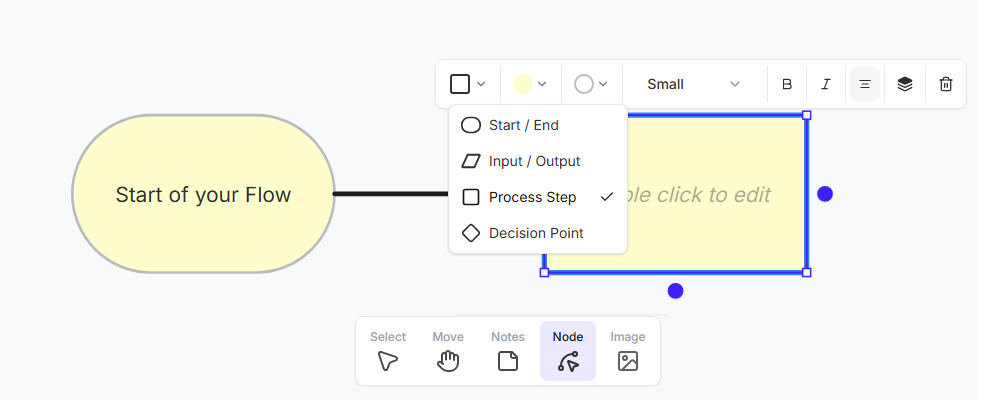
So for 2026, we’ve introduced a powerful Flowchart Builder directly inside your
canvas, so you can map out user journeys before you commit to pixels, select
the "Node" option and start creating it.
How it works:
- Smart Connections: Select a shape, hover over one of the 4 dots, and click
to instantly spawn the next step in your flow.
- Drag & Draw: Drag from a dot to draw custom arrows.
- Full Shape Library: Start/End, Input/Output, Process Steps, and Decision
Points are all available.
- Quick Styling: Use the new toolbar to toggle colors, text styles, or swap
shape types on the fly.
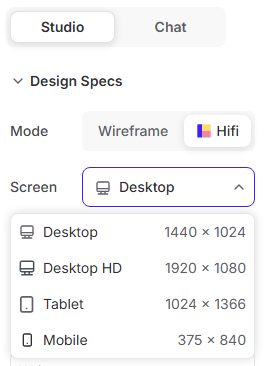
We’ve also expanded our canvas options to
give you more confidence when designing for different
devices.
-
Tablet: 1024 × 1366
- Desktop HD: 1920 × 1080
These are fully supported across all
modes (Wireframe, HiFi, Global Edit, and Predictive Heatmaps).
We are treating 2026 as the year of 'No
Friction.'
Our roadmap is entirely focused on not
only removing every obstacle between your idea and a finished interface, but
also improve how you can create.
And truly, I can't wait to see what you
ship this year.
|
|
|