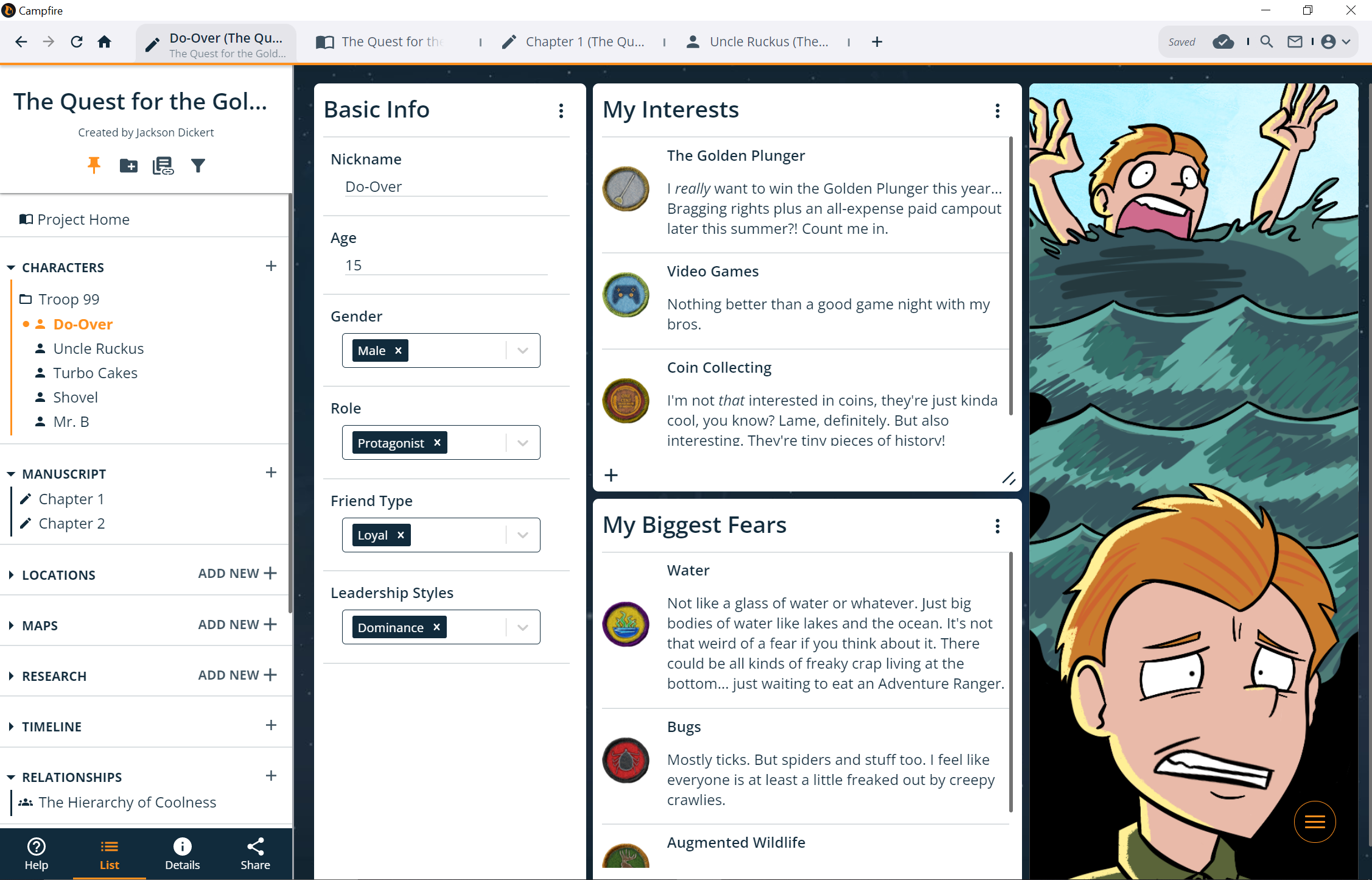
Campfire's offline desktop application is available to download for Windows and Mac!
It's the same Campfire you know and love, with a few minor differences. First, there's a tab system similar to your browser's tabs that allow you to have multiple elements open at once.
Second, you can choose to work online or offline depending on your preference. It's easy to backup your offline work in the cloud as well, just go online and hit the SYNC button in the app. This way, all your hard work you did offline will be there in the browser version the next time you open it.
Third, you can't access the Campfire blog or read books. Any web links you click in the app will open in your default browser.
Best of all, there's more to come to the desktop app in the future such as more robust offline support, compatibility with grammar checkers, and other performance updates. Stay tuned!
(Oh, and heads up: When you install the app, if you receive a safety warning from your computer you can safely ignore it - we're working on getting rid of this warning but it requires building up trust with Windows and Mac over time as more users install the application.)
If you have any suggestions for ways to improve Campfire, let us know! We prioritize the most upvoted (or coolest) features in future updates, so you might see your suggestion implemented.
Need to get in touch? Join our Discord or submit a contact form and we'll get back to you as soon as we can.