Whether you’re exploring AI tools like Claude Code, Gemini, or OpenCode, or already using them in your daily work, a few tweaks can improve your experience in Termius.

Start your AI agent automatically on connect

Every time you start working with an AI agent, you repeat the same steps: connect to a host, open your project folder, and start your agent manually.

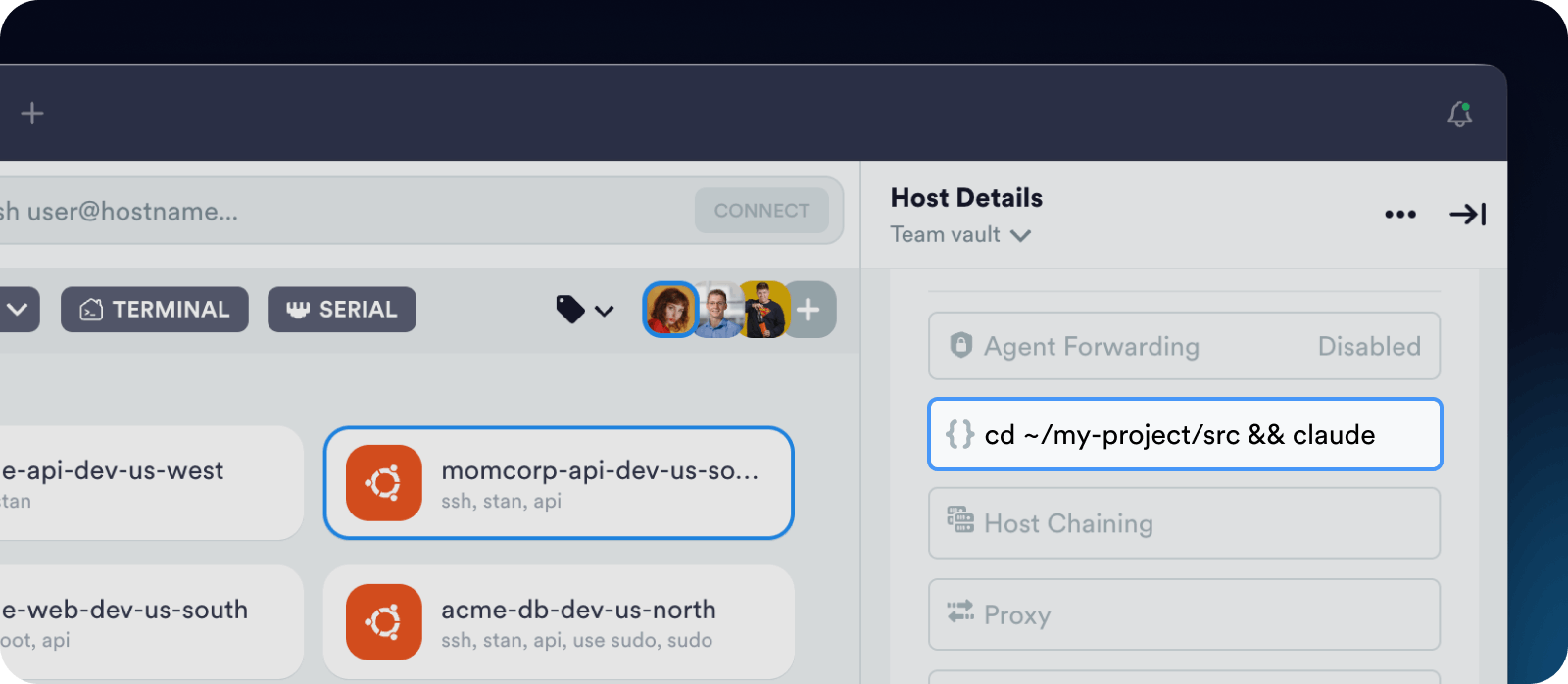
You can automate this by adding a Startup Command like  cd ~/my-project/src && claude  to your host. Now, when you connect, you’re already inside your project folder with your agent running.

Pro tip: If you use tmux, add a Startup Command  tmux attach -t %claude_session_name%  to restore your previous session automatically. This lets you continue your AI agent session when switching between desktop and mobile.

Keep your sessions persistent on mobile

Network changes can interrupt your terminal session at the worst moment. Here are a few simple ways to avoid that.

Make sure Background Mode is enabled in app Settings. This keeps your session alive even when you switch apps to reply to an email.

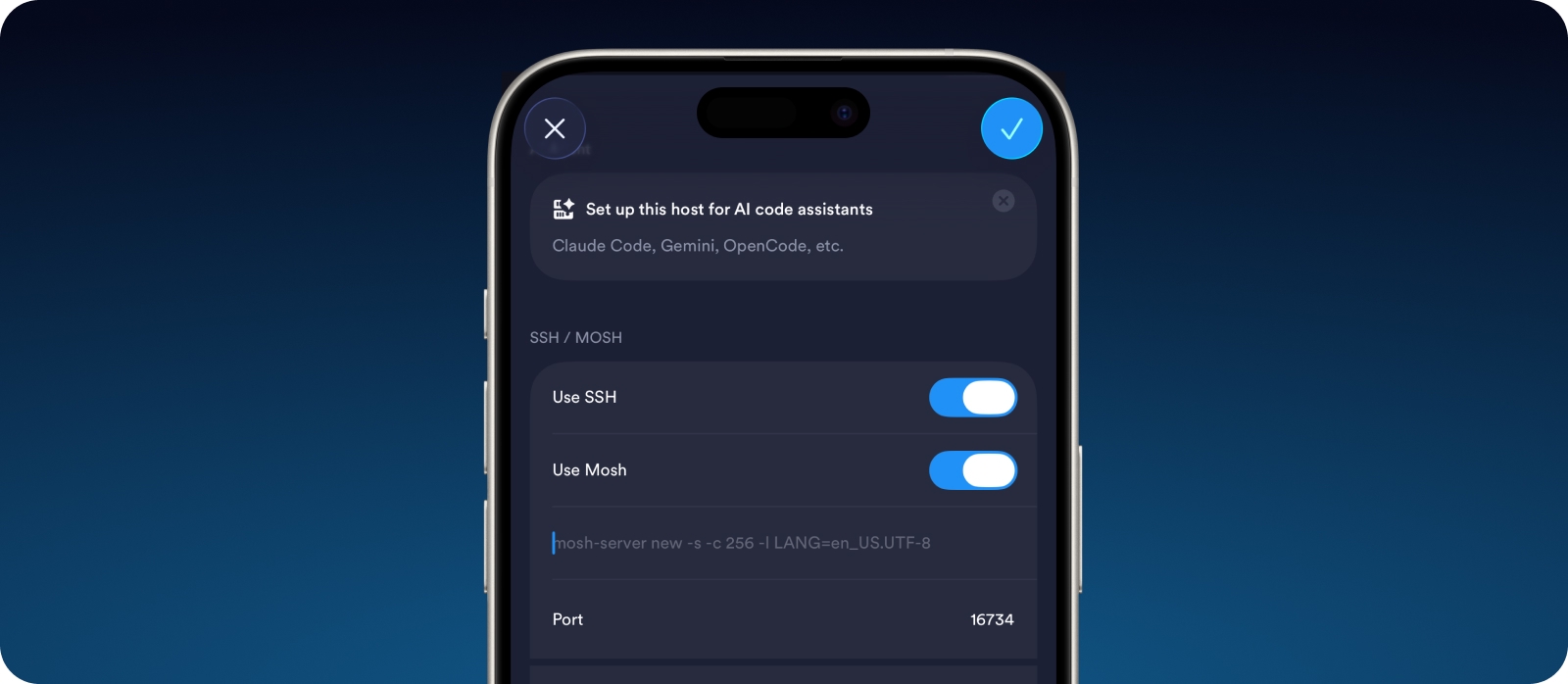
Set up Mosh on your server, or ask your AI assistant to do it, then enable Mosh in your host settings in Termius. This keeps your connection responsive when you switch between mobile data and Wi-Fi.
Run your AI agent inside tmux to prevent losing context if the network drops. The session continues running on the server side, independent of your SSH connection. After reconnecting, run  tmux attach  to restore the exact terminal state.

Review and upload files with SFTP

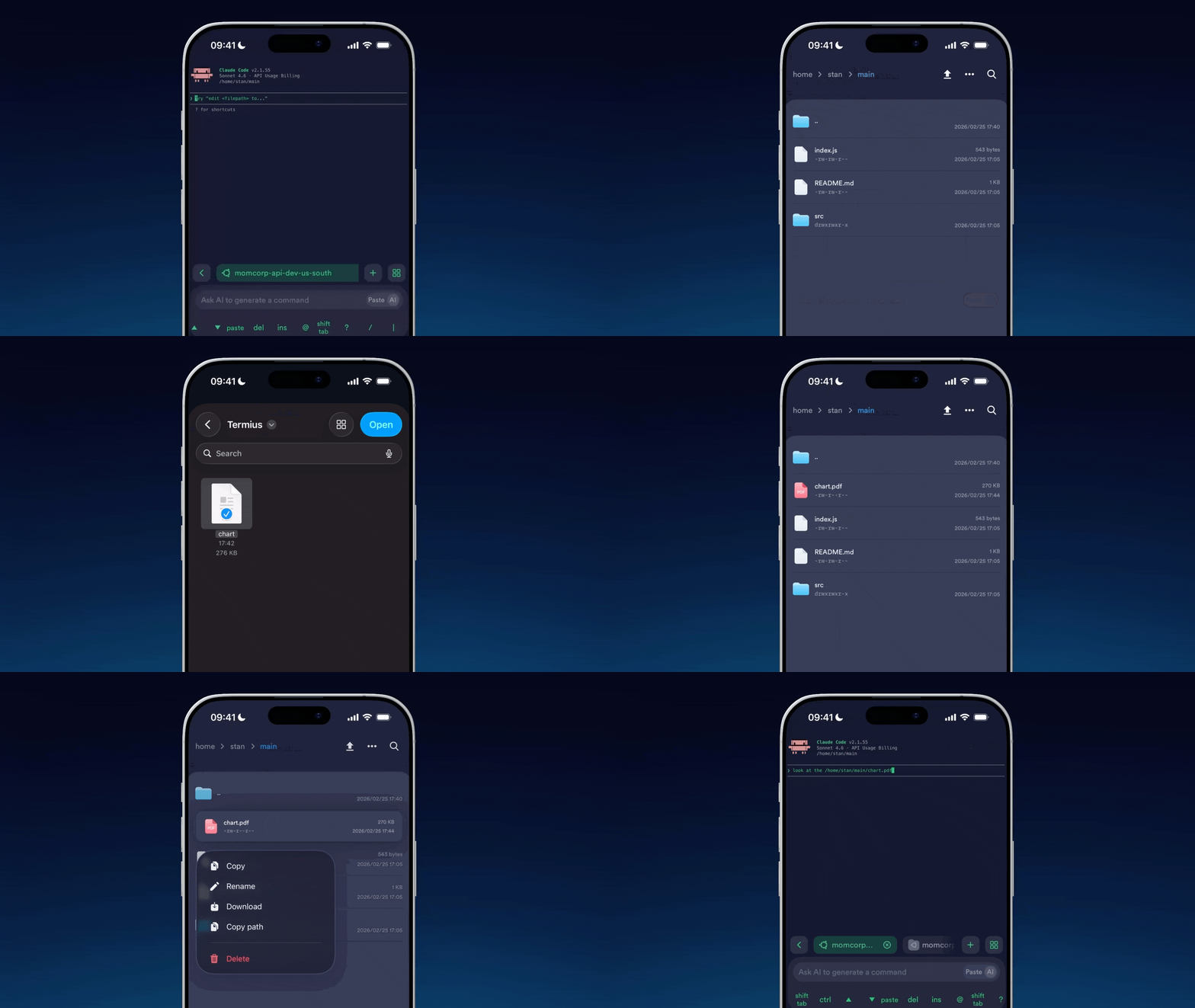
To review files generated by your agent, open an SFTP tab directly from your terminal without leaving your session.

You can use the same SFTP tab to upload screenshots of a website, then include those files as context in your agent's prompt. Your AI agent can analyze the uploaded files and generate the required updates or a similar design.

Customize the keyboard on mobile

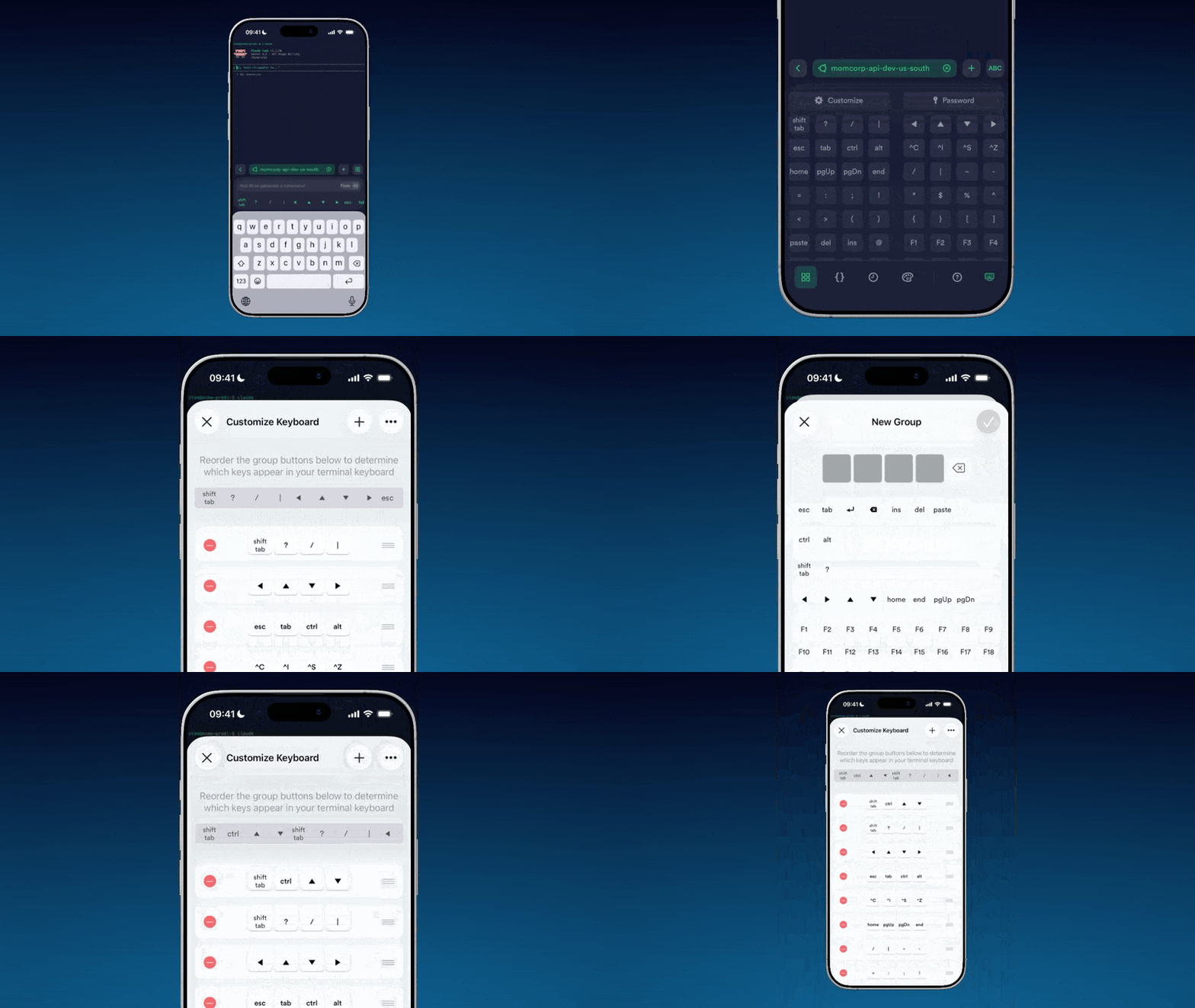
AI workflows often require specific key combinations like Shift+Tab to switch operating modes. Default mobile keyboards are not designed for this.

In Termius, you can customize the shortcut bar to keep important actions right at your fingertips.