|
English | Español | አማርኛ | 中文 | 한국어 | Tiếng Việt | العربية | فارسی | اردو
Upcoming Events
Aug 24 First Day of School!
Aug 24 "Kinder Parent "Boo Hoo & Yahoo Welcome", 8:35 - 9:15 AM
Sept 4-7 NO SCHOOL - Labor Day Weekend
Sept 9 Back to School Night, 5:30-7:00 PM
Sept 30 3-Hour Early Release Wednesday, Gr K-6, Dismissal at 12:20 PM
Link to the 2026-2027 FCPS School Year Calendar
First Day of School - Monday, August 24th
Monday, August 24th is the first day of school for students. We are excited to welcome our students back! Doors open at 8:25 AM. School begins at 8:35 AM and dismissal begins at 3:20 PM. During the first day of school, guardians may walk students to their classroom door.
Kindergarten Parent Boo Hoo and Yahoo Welcome Coffee
Ravensworth ES will be hosting a Boo Hoo and Yahoo Welcome Coffee for our Kindergarten Parents in the cafeteria from 8:35 AM-9:15 AM on the first day of school. Guardians are invited to connect with each other and Ravensworth administration and staff during this time.
Back to School Checklist
As summer winds down, we are looking forward to welcoming students back to our classrooms. Use the following list to help make sure your child is ready for a successful school year.
☑️ Sign Up for SIS ParentVUE
Access your student’s attendance records, grades, and assignments at any time with SIS ParentVUE. Contact our registrar, Teresa Dunbar, at tldunbar1@fcps.edu/703-426-3600 if you need an activation code.
Find out more about SIS ParentVUE. Also, download the new ParentVUE mobile app so you can access your child’s records easily from anywhere.
☑️ Update Your Contact Information and Make Your Early Release Wednesday Childcare Selection - Due by August 14th!
Families may complete the Online Verification/Update (OVU) Packet electronically through ParentVUE, or by downloading the paper forms from the FCPS website and returning them to the school office. On that form, you can also update immunization records, health information, emergency contacts, and make your early release Wednesdays childcare selection.
Teacher assignments will be released only after your child's re-enrollment forms have been completed.
- Log in to ParentVUE or the ParentVUE app
- Click “Online Packets” or “Online Registration” in the app
- Scroll down and select “Online Verification/Update”
- Complete all updates/information
- Click to submit the packet
☑️ Update Immunizations and Records
Immunizations are required for all students to attend school in Virginia. This is an important part of protecting them from certain diseases and keeping them healthy.
When your child is immunized, remember to request a copy of their immunization record and bring that to our front office or submit the record via SIS ParentVUE as soon as possible. Find more information on FCPS’ website.
☑️ Learn About School Meals
Families need to provide their children with money to purchase meals at school or send them with a packed lunch. Alternatively, families may apply to receive free and reduced-price meal benefits, pending approval.
Information about Dietary Accommodations is available on the Food and Nutrition webpage.
Experience an easier way to view your child’s school menus using MealViewer.
Printable menus are always available on the Food and Nutrition Services webpage.
☑️ Bookmark the School Year Calendar
Be sure to bookmark the FCPS school year calendar to keep track of school holidays, breaks, and observances:
- Days marked blue with an “H” are student holidays. Schools are closed on these days.
- Days marked orange with an “O” are religious and cultural observance days (or evenings, if only half marked). There is school on these days, but certain events that cannot be made up may not be scheduled on these days.
- Days marked as TW, SD, and SP and in pink are holidays for students but working days for teachers and staff.
Please note that some holidays and observances, such as Eid al Fitr, may shift, and the calendar may be adjusted.
New Student ID Cards Coming for Bus Riders
Schools are going to start providing students who ride the school bus with their new student ID cards. This is part of FCPS’ ongoing commitment to strengthening layered safety and security programs, including how students travel to and from school.
Families may receive their child’s new student ID card as early as the first week of school. Students who have student ID cards should begin tapping as they board and exit the bus. Only students who use FCPS transportation services will be provided with a student ID card at this time.
Be sure to check with your school for specific details about how they will distribute your child’s student ID card. Learn more about the bus navigation and student ID cards.
We Appreciate Your Patience!
Bus drivers will begin checking in students next week and may need some extra time at each bus stop while they do this. The transportation team is working hard to minimize any potential delays.
Understanding Student Rights and Responsibilities (SR&R) Updates

Families are encouraged to review the updated FCPS Student Rights and Responsibilities (SR&R) document, which explains expectations for student behavior and adult responses in order to enhance school safety and to create a fair, equitable, and supportive school environment.
Updates for the 2026-27 school year include new Universal Grade Matrices (UGMs). UGMs are charts that show behavior expectations and school responses by grade level (K-3, 4-8, and 9-12). These at-a-glance resources (in Appendix D of the SR&R) are designed to make it easier for parents and caregivers to understand how schools respond to different types of behavior concerns.
Visit the SR&R webpage for more information and to review additional updates to the SR&R for the 2026-27 school year.
Get Ready for Day One with the FCPS App!
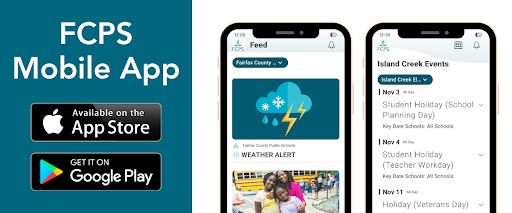
A new ParentVUE mobile app will is now available in the Apple and Google app stores. This new app provides parents and caregivers with a more secure sign-in. The current “classic” app will remain active for about six months. Families must download the new app by December 2026 to ensure they have continued mobile access to their child’s school data.
In the new app, families can enroll in multi-factor authentication (MFA) for FCPS Single Sign-On. While enrollment is optional, we strongly recommend that everyone enable this security feature.
Learn more about installing the new ParentVUE app. Parents needing assistance should submit a Parent Support Request.
You Can Manage Student Web Access at Home

At FCPS, we acknowledge that parents and guardians are our students' first and most important teachers. Families now have greater control over their child’s FCPS-issued device outside of school hours through the Lightspeed Parent Portal.
Through the portal, families can monitor weekly internet activity and customize web access at home on FCPS devices by using the Schedules and Web Rules features.
With Schedules, you can set tailored times to automatically pause or restrict internet access. This makes it easier to enforce rules around homework time, family dinners, weekends, or bedtime.
In Web Rules, you can create Custom Block Lists to block specific, individual websites you do not want your child accessing at home. This allows parents greater control over what is happening online outside of school.
These new custom controls take effect at home, outside of school hours, and when the device is off the FCPS network. They will not override standard district filtering policies during the instructional day.
Customize Your Lightspeed Settings
All parents should be receiving weekly Lightspeed Online Student Activity Report emails. To set up these new features, click the “Log in or Register” button at the bottom of your weekly Lightspeed Online Student Activity Report email.
Visit the FCPS Lightspeed Parent Portal Guide for more information. If you have additional questions, submit a Parent Technology Support Ticket.
Families are encouraged to discuss internet boundaries so children can understand the reasoning behind any limits and the differences between access at home and at school. Get tips on talking to your children about technology safety.
Catch Up on Your Child’s Classwork in Schoology
Teachers use Schoology to post their classroom materials online, provide a secure forum for students to discuss their ideas and collaborate on projects, and assign and collect homework electronically. It helps students stay organized, and it keeps the class connected.
A Schoology parent account gives you access to:
- Your child’s classes.
- Your child’s upcoming assignments.
- School, class, and group announcements.
Want to see how Schoology can help you support your child’s learning? Visit |